

1
Create an IPS API key for TerminalCAD
TerminalCAD integrates with Invision Community directly using IPS’ REST API. Each IPS4 community provides its own instance of the API. This means if you have multiple IPS communities, API keys are each issued separately.To create an IPS API key, first log into the AdminCP
-
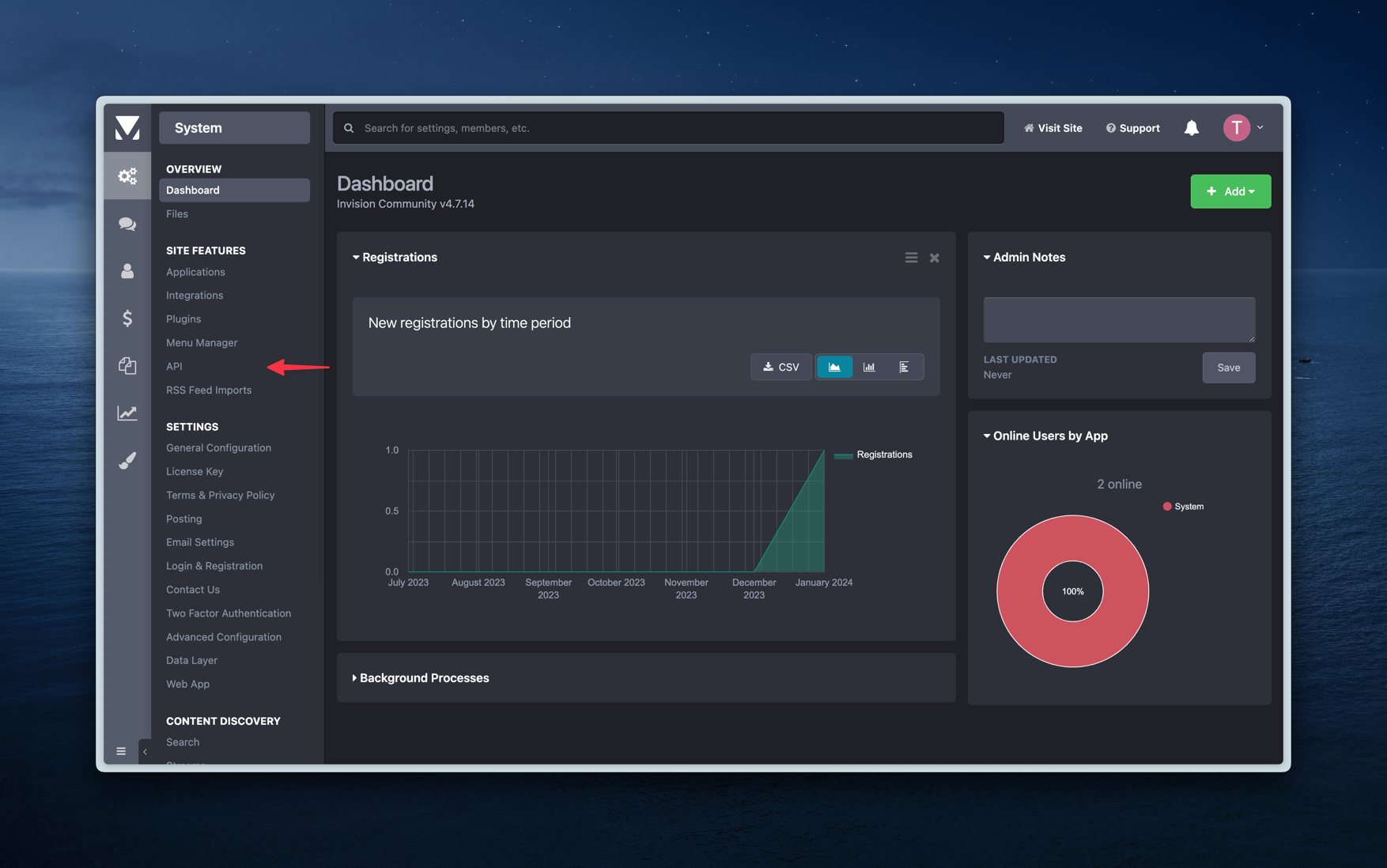
Once you are logged into the AdminCP, head to System > API
-
Click on
REST API Keys, then clickCreate New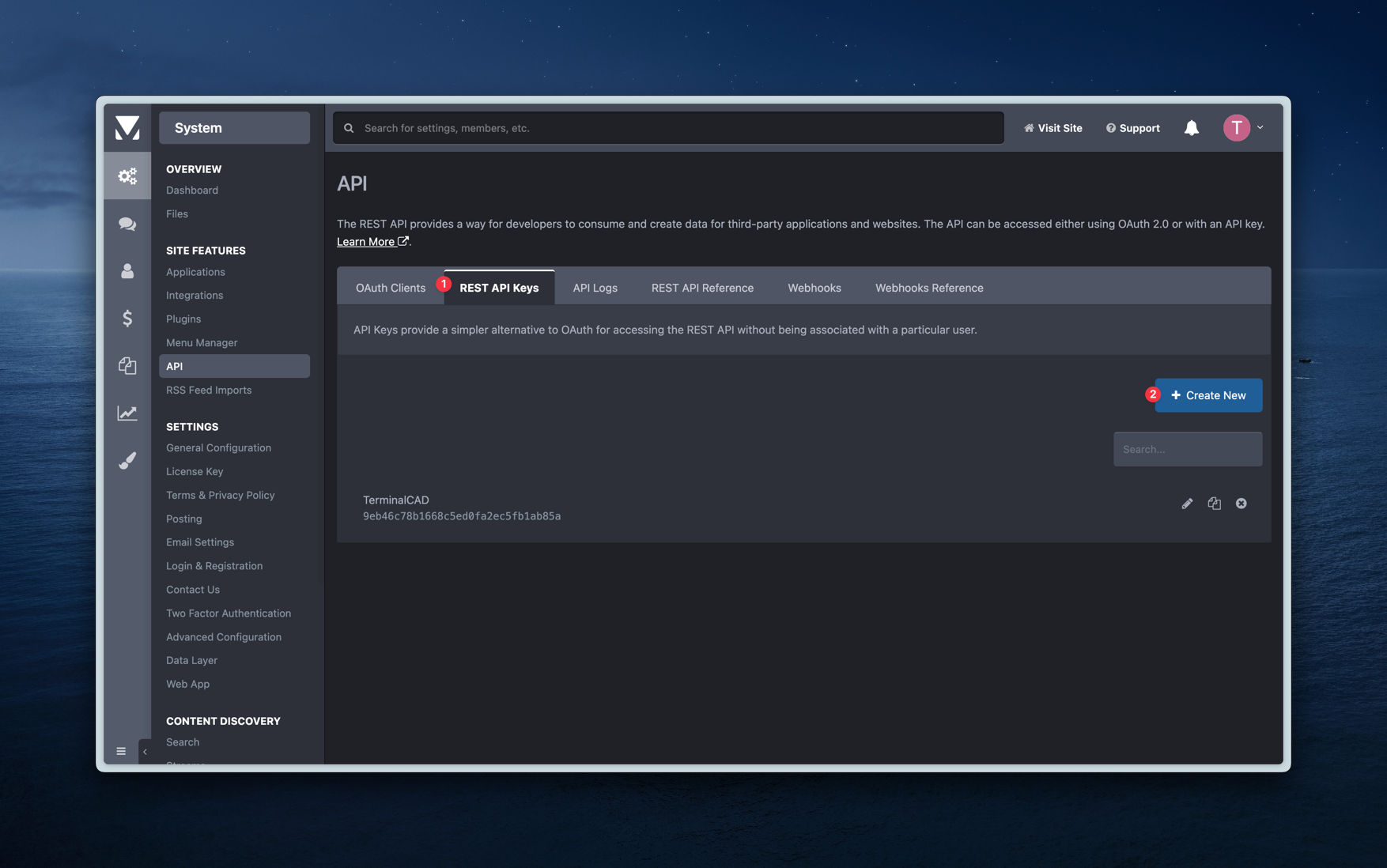
- Once you do that, you’ll be brought to a screen where you can create and limit what the API key can access. You can find the API key on the top of the page, and an input to name the API key. Additionally, you can select the API endpoints that we will have access to. We only require access to the following endpoints:
GET/core/groupsGET/core/members
Save at the bottom of the screen!2
Connect IPS with your TerminalCAD community
After you’ve create an IPS API key, you’ll need to configure it for your TerminalCAD community.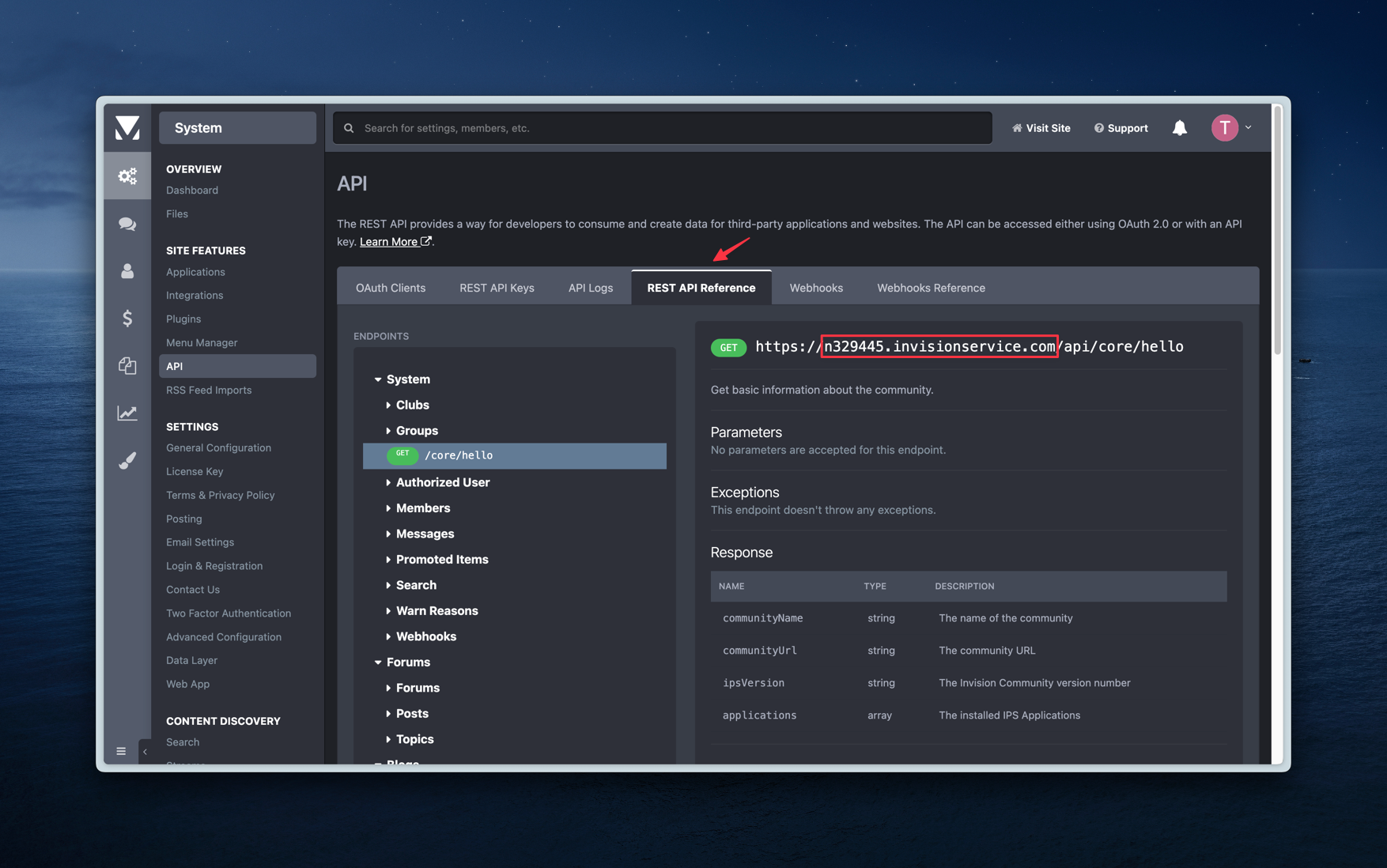
- Head over to your community admin panel > Third Party Integrations > Under Invision Community, click
Configure. - Enter your Community URL and IPS API key you created in Step 1 and click the
Savebutton for each respective input.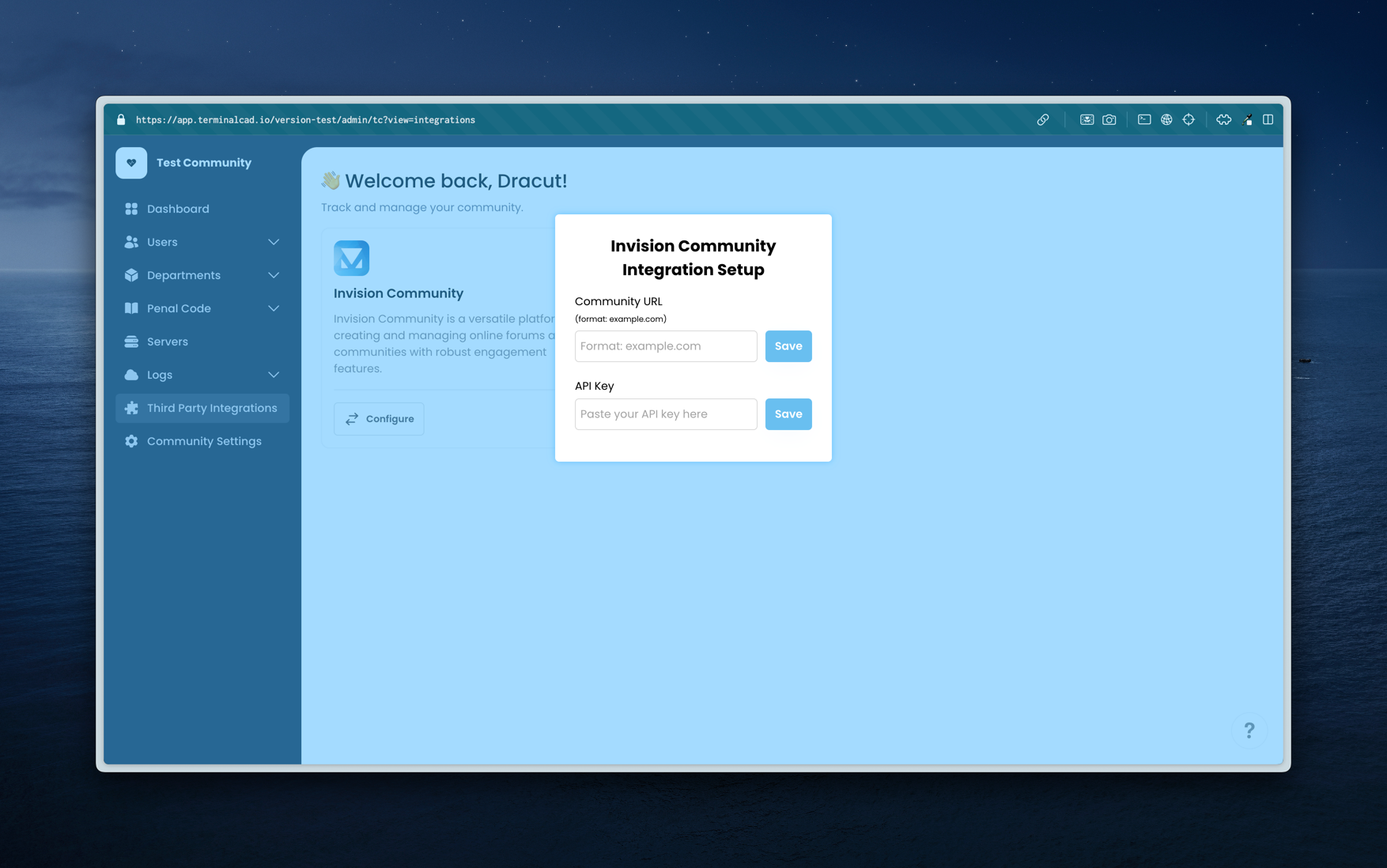
System > API > REST API Reference, as shown in the screenshot below.3
✅ Success
Great! You’ve successfully connected your IPS community with your TerminalCAD community. We’re continuing to grow our offers for this direct integration, but we currently offer the following features:
- Importing members of your community from your IPS community to your TerminalCAD community (you must have permission from your community members to do this, note that any abuse of this can result in you no longer being able this feature)